
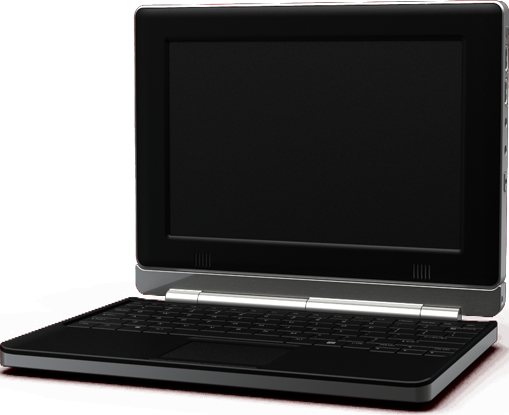
With 10-15 hours of battery life, this netbook uses an ARM CPU and hardware the likes of which is normally found in mobile phones to provide a truly mobile computing experience. While it has it's own OS, it still provides important functionality like word processing and a web browser (based on Firefox). The keyboard is detachable and the screen is magnetic, touch-sensitive, and includes an accelerometer and 6 usb ports, with solid state technology for it's storage solution. The vendors also claim that Google Android and Unix-like OSs such as Ubuntu could be installed on the device.
Head over to their website for more details.
I love stuff like this, and I truly believe it's the future of casual computing. Many people are put off by non-Windows operating systems, but we need not be. Microsoft have dominated, and essentially crippled the computing industry for too long, and small companies like Always Innovating are exactly what we need. This machine is a genuine solution for web browsing and the like, and "non standard" hardware like this is going to be a lot safer than the virus and spyware infested world of the x86 CPU.
When Sony get their organic screen technology affordable, which I plan on writing an article on in the future, this sort of computer will last even longer between recharges. Or we could see the refresh and colour range of e-Paper improving, another amazing technology, which would be even better.
Touch Book
Sunday, 6 December 2009
Posted by
Live-D
at
12:45
Posted by
Live-D
at
12:45
Labels:
Always Innovating,
ARM,
e-Paper,
Google Android,
Mobile Computing,
Touch Book
Subscribe to:
Post Comments (Atom)
Followers
About Me
- Live-D
- I currently study for a Computer Science degree, and in my limited spare time I like to find out information about computing, hardware, the web, etc. I am also an admin for the popular Counter-Strike Source community "UK:Nemesis", which can be found at http://www.uknemesis-server.net/
Labels
- 64-Bit (2)
- 6735b (1)
- 6735s (1)
- Always Innovating (1)
- AMD (2)
- ARM (1)
- Batch Files (1)
- Bing (1)
- BIOS (1)
- Blind Search (1)
- Chrome (2)
- Cloud Computing (1)
- CNET (1)
- e-Paper (1)
- Godmode (1)
- Google (3)
- Google Android (1)
- HDD (2)
- HP (1)
- HyperTransport (1)
- i7 (2)
- Installing Windows 7 (2)
- Intel (2)
- Internet Services (2)
- jsDesk (1)
- Laptops (2)
- Linux (1)
- Microsoft (3)
- Mobile Computing (1)
- MSDNAA (1)
- msn (1)
- Multi-Hop Networking (1)
- News (9)
- Ninite (1)
- NVRAM (1)
- Operating System (2)
- Optical Storage (1)
- PC User Guide (9)
- Phenom II (2)
- Power Options (1)
- RAID 0 (1)
- RAM (2)
- Registry Defrag (1)
- Review (1)
- Screen Brightness (1)
- Search Engines (1)
- Security (2)
- Slashdot (1)
- Social Networking (1)
- Solid State (2)
- Speed Test (1)
- SSD (2)
- Tips (14)
- Touch Book (1)
- URL Shortener (1)
- Video (1)
- Virgin (1)
- Vista (2)
- Wave (1)
- Web Archiving (1)
- Web Service (3)
- Wifi (3)
- Wikipedia (1)
- Windows (2)
- Windows 7 (8)
- Windows Services (1)
- Windows XP (1)
- XP (1)
- Yahoo (1)

1 comments:
For a screenshot of the Operating System, see here:
https://www.alwaysinnovating.com/images/gallery_41.png
Post a Comment